 Alexis Maiquez
17d4be61b1
+ added .clang-format
Alexis Maiquez
17d4be61b1
+ added .clang-format
|
преди 4 години | |
|---|---|---|
| .github | преди 4 години | |
| CMakeModules | преди 5 години | |
| docs | преди 5 години | |
| include | преди 7 години | |
| src | преди 4 години | |
| .clang-format | преди 4 години | |
| .gitignore | преди 4 години | |
| CMakeLists.txt | преди 4 години | |
| LICENSE | преди 7 години | |
| README.md | преди 4 години | |
| main.cpp | преди 4 години |
README.md
1. Disclaimer
This is an educational project. Although the project started as a learning exercise on the Irrlicht Engine, it has kind of turned into an OpenGL one instead due to limitations and issues with Irrlicht (most likely caused by my limited experience with graphics programming). Turns out working directly with OpenGL is not as hard as I thought. For more information on the project's license, check LICENSE.
2. What is this project all about?
This projects aims to reproduce the background functionality of Wallpaper Engine on Linux systems. Simple as that.
3. What is Wallpaper Engine?
Wallpaper Engine is a software designed by Kristjan Skutta that provides live wallpaper functionality to Windows Systems, allowing It's users to animate their own backgrounds and sharing their own creations. You can find more about it on their Steam page
4. Compilation requirements
linux-wallpaperengine
- OpenGL 2.1 support
- CMake
- LZ4
- ZLIB
- SDL
- SDL_mixer
- FFmpeg
- X11 (with libxxf86vm)
- Xrandr
- GLFW3
- GLM
- GLEW
- GLUT
- FreeImage
5. How to use
5.1. Pre-requirements
In order to properly use this software you'll need to own an actual copy of Window's Wallpaper Engine as it contains some basic assets on which most of the backgrounds are based on. The only way to get those assets is to install the Windows version trough Steam. Luckily you don't really need a Windows OS for that. Using the Linux client should be enough to force the download.
5.2. Extracting needed assets
Once Wallpaper Engine is downloaded open the installation folder (usually on C:\Program Files (x86)\Steam\steamapps\common\wallpaper_engine). Here you'll see the main folders of Wallpaper Engine. The folder we're interested in is the one named "assets".
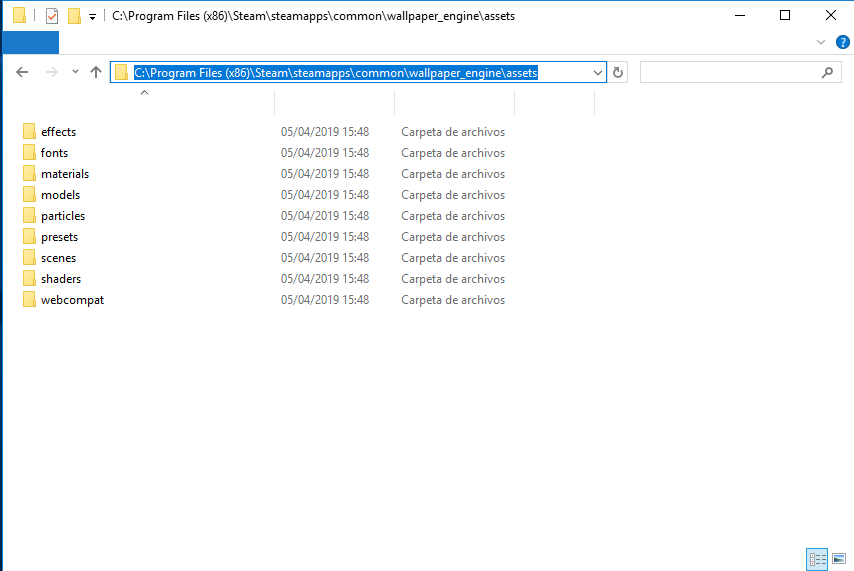
The assets folder itself can be copied to the same folder where the binary lives.
5.3. Getting the sources
You can download a zipped version of the repository here: https://github.com/Almamu/linux-wallpaperengine/archive/refs/heads/main.zip
You can also clone the repository using git like this:
## 5.4. Compilation steps
The project is built on CMake as build engine. First we need to create the directory where the build will be stored and get into it:
mkdir build cd build
Once the folder is created and we're in it, cmake has to generate the actual Makefiles. This can be done this way
cmake ..
Take a closer look at the CMake output, if you miss any library CMake will report the missing libraries so you can install them either trough your package manager or manually in your system.

Finally we can compile the project to generate the actual executable
make
**REMEMBER: The assets folder has to be at the same folder as the executable**

## 5.5. Running a background
Currently both compressed and uncompressed backgrounds are supported. Loading them is quite simple. Just run linux-wallpaperengine with the path to the folder where the background is stored:
./wallengine /home/almamu/Development/backgrounds/1845706469/
Where ```/home/almamu/Development/backgrounds/1845706469/``` is the background's path.

#### 5.5.1. Running as a screen's background
Only screens configured with the XRandr extension are supported. To specify the screen names (as reported from xrandr tool) just use the ```--screen-root``` switch. You can specify multiple screens at the same time, for example:
./wallengine --screen-root HDMI-1 --screen-root DVI-D-1 /home/almamu/Development/backgrounds/1845706469/
**IMPORTANT: Right now this doesn't work if there is anything drawing to the background (like a compositor, nautilus, etc)**

#### 5.5.2. Limiting FPS
To reduce the performance hit to your system you can reduce (or increase) the FPS limit with the switch ```--fps```, specially useful for laptops:
./wallengine --fps 30 ```
Example background
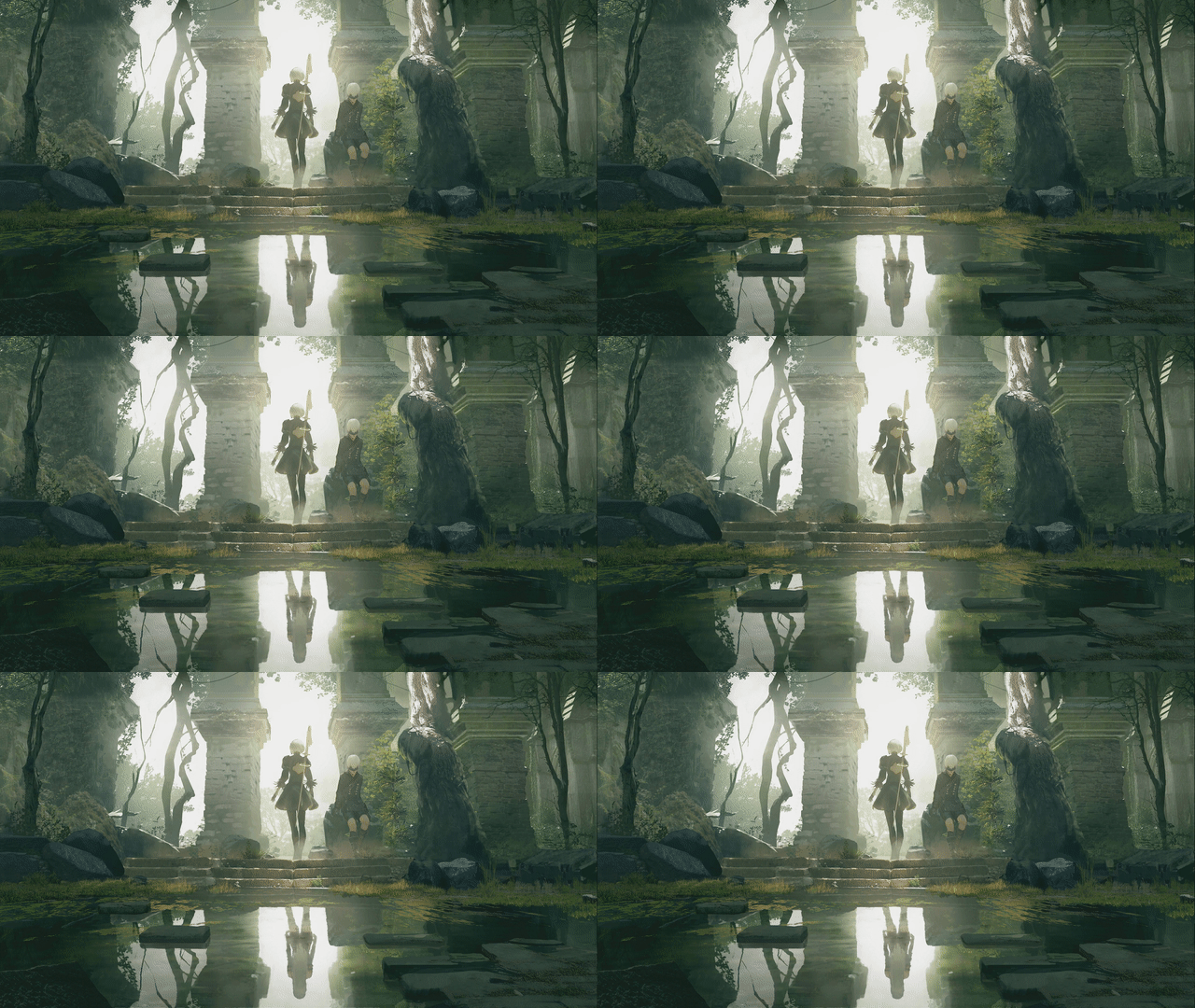
This was the first background to even be compatible with the software. And It's not 100% compatible yet. Both textures and shaders are properly loaded, but there are still particles missing.
1845706469
In similar fashion to the example background, this one represents the progress of the program. It leverages FBOs (targets), and multiple-effects over objects.